The MySpellings app

School words.
Ready to practise.

MySpellings is a spelling practice app for children using the words sent home from school. Hear them, build them and practise with the support that suits your child.

iPhone & iPadComing soon Get MySpellings on Google Play

Free to download, with optional one-time Premium. Some features and packs require Premium. No recurring parent subscription.

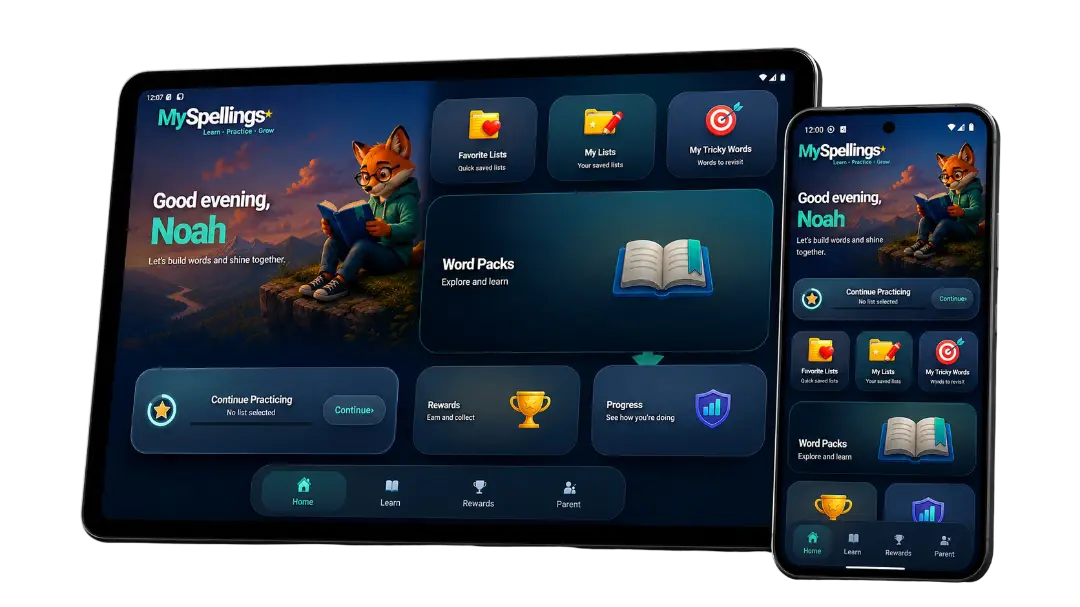
MySpellings spelling app on a phone and tablet YOUR SCHOOL WORDS ★
No ads in the app No account to create Practise offline Made by a dad

Take a closer look

Built around
their practice.

Choose a feature below to see more of the app.

Try sample lists free. Premium unlocks every pack, unlimited custom lists and Photo Lists.

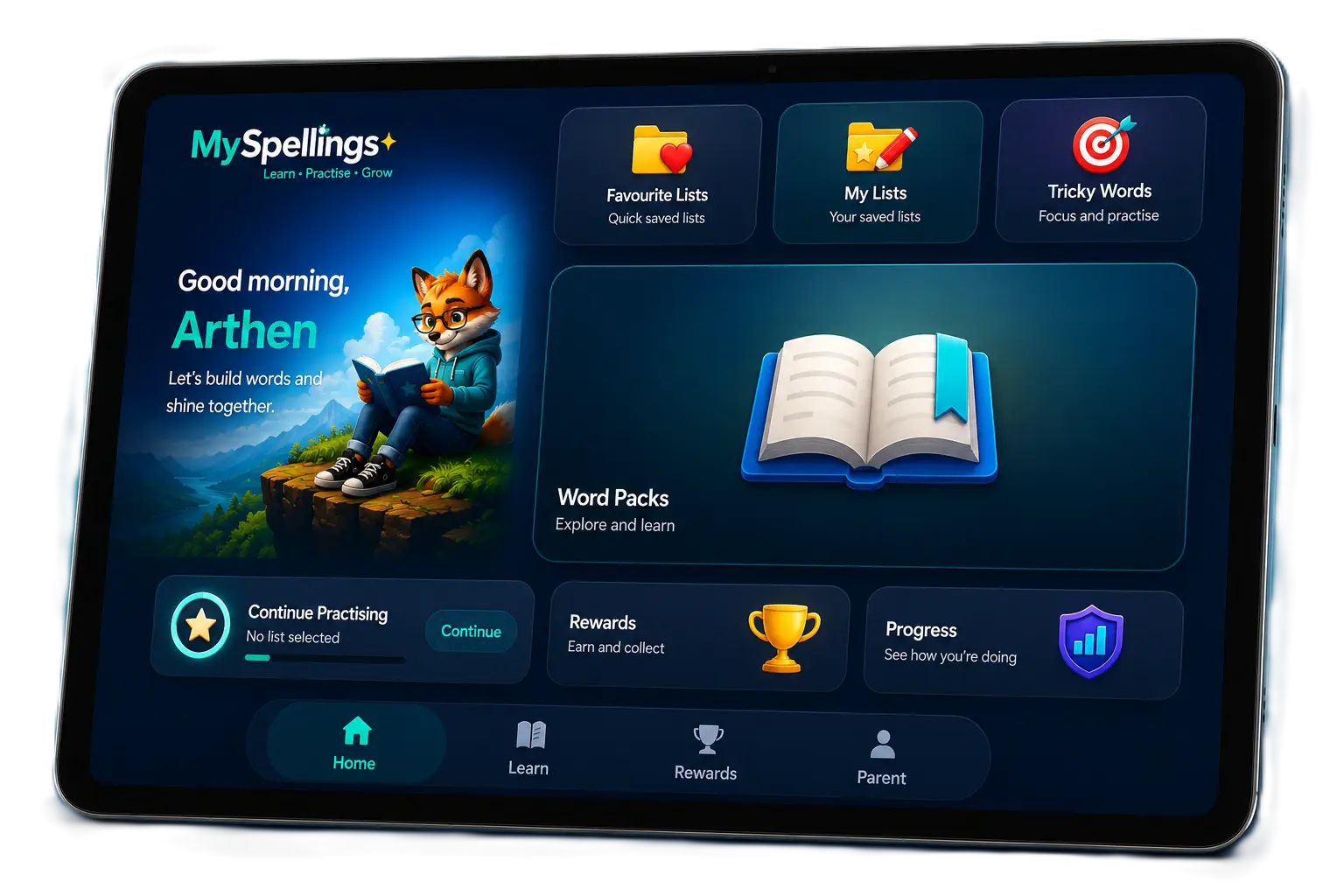
MySpellings home screen showing lists, word packs and progress

Keep school lists and ready-made word packs in one place.

What parents and teachers say.

Feedback on the Android app, from a parent and a former teacher.

Short excerpts from public Google Play reviews. Read the full reviews.

A starting point that suits you

Canadian word packs. Kindergarten to Grade 5.

Canadian word packs offer ready-made spelling practice. You can also add the exact words sent home from school.

You can also explore themed word groups in the app.

Try sample pack lists free. Premium unlocks the full pack library and Photo Lists. You can create two free custom lists of up to 10 words each.

Get the app ↗
KindergartenK
Grade1
Grade2
Grade3
Grade4
Grade5

A clear choice

Start free.
Premium is optional.

No subscription to keep track of. No account needed to get started.

FREE TO DOWNLOAD

Start spelling
for free.

Try spelling practice with the words your child needs before deciding whether to unlock Premium.

  • Sample pack listsTry a selection of lists from the spelling packs.
  • Two custom listsAdd up to 10 words to each of your two free lists.
  • All difficulty modesHear, build and spell the words in your available lists.
  • Offline spelling practicePractise without an internet connection.
  • No adverts or parent app accountGet started without creating an account.
Try MySpellings free
OPTIONAL ONE-TIME PURCHASE

Everything unlocked.
One purchase.

Google Play

Checking store price…

One-time purchase · no subscription

  • Every spelling packUnlock all lists in the current spelling packs, including themed packs.
  • Unlimited custom listsCreate more lists without the free 10-word-per-list cap.
  • Photo ListsTurn a printed spelling sheet into an editable list using a photo.
  • Future app updatesNew spelling packs and app feature updates are included.

Your app store confirms the price and currency before you buy. App Store pricing may differ.

Premium unlocks the parent app. Planned school-list linking will be free and won’t require Premium.

Get the app and unlock Premium

Before you download

A few useful answers.

Need a hand? Send Dan a message.

Ask Dan
What does the Premium purchase unlock?

Every spelling pack, unlimited custom lists without the free word limit, Photo Lists, and future app updates. The free version includes sample lists and two custom lists of up to 10 words each. School services are separate.

Can I add the exact spellings from school?

Yes. Type your own list or use Photo Lists to read words from a printed spelling sheet. Check and edit the recognised words before practising. Photo Lists is a Premium feature; the free app includes two typed custom lists of up to 10 words each.

What are the difficulty modes for?

They change the amount of support during practice. Children can start with help building words, then try spelling more independently. All difficulty modes are available for the lists you can access.

Can we print spelling worksheets too?

Yes. Use the free spelling worksheet maker with your school words. No app purchase or account is required.

Does the app work offline?

Spelling practice works offline. Downloading the app, making purchases and any future school-list updates need a connection.

Is MySpellings available on iPhone and iPad?

MySpellings is available for Android on Google Play. The iPhone and iPad version is coming soon.

Do we need an account?

No account is needed for the parent app. The planned Schools service will have separate teacher accounts; it is still in development.

Does the app send spelling photos to you?

Photo recognition happens on the device. The privacy policy explains the iOS and Android details, including Android’s recognition provider and technical metrics. Read the privacy policy.

Who made MySpellings?

Dan, a dad who started building MySpellings while helping his son with spelling homework. It’s part of his JustaDad work. You can contact him at [email protected] .
Ready for the next school list?

A few words.
A place to start.

Download MySpellings and explore spelling practice for your family.

iPhone & iPadComing soon Get MySpellings on Google Play

Free to download. Optional one-time Premium purchase. No recurring parent subscription.

The MySpellings fox holding a tablet

Bring MySpellings to your school.

School access is being introduced through a trial. Accounts are created by Dan or your school administrator.

New school?

Send Dan your school name and work email to discuss access.

School already taking part?

Ask your school administrator to create your teacher account. You can then log in with your registered email.

Request school access I already have an account

Choose your country.

Choose your country to open the matching version of this page. You can switch at any time.

United Kingdom Years 1–6 UK United States Kindergarten–Grade 5 US Canada Kindergarten–Grade 5 CA Australia Years 1–6 AU Ireland Explore with your own lists IE New Zealand Explore with your own lists NZ International / Other countryINT

You can change your country at any time.

Optional categories are off until you agree. You can return here from the footer.

Essential preferences Stores this choice for up to six months and a country you explicitly select. Uses this browser’s local storage.
Always on

Google may process technical identifiers, device information and IP addresses when enabled. Browser settings can shorten storage periods. Withdrawing consent stops optional tags on this page and removes accessible Google measurement cookies; it does not erase data already received by Google.

Read the privacy policy · Google’s privacy policy